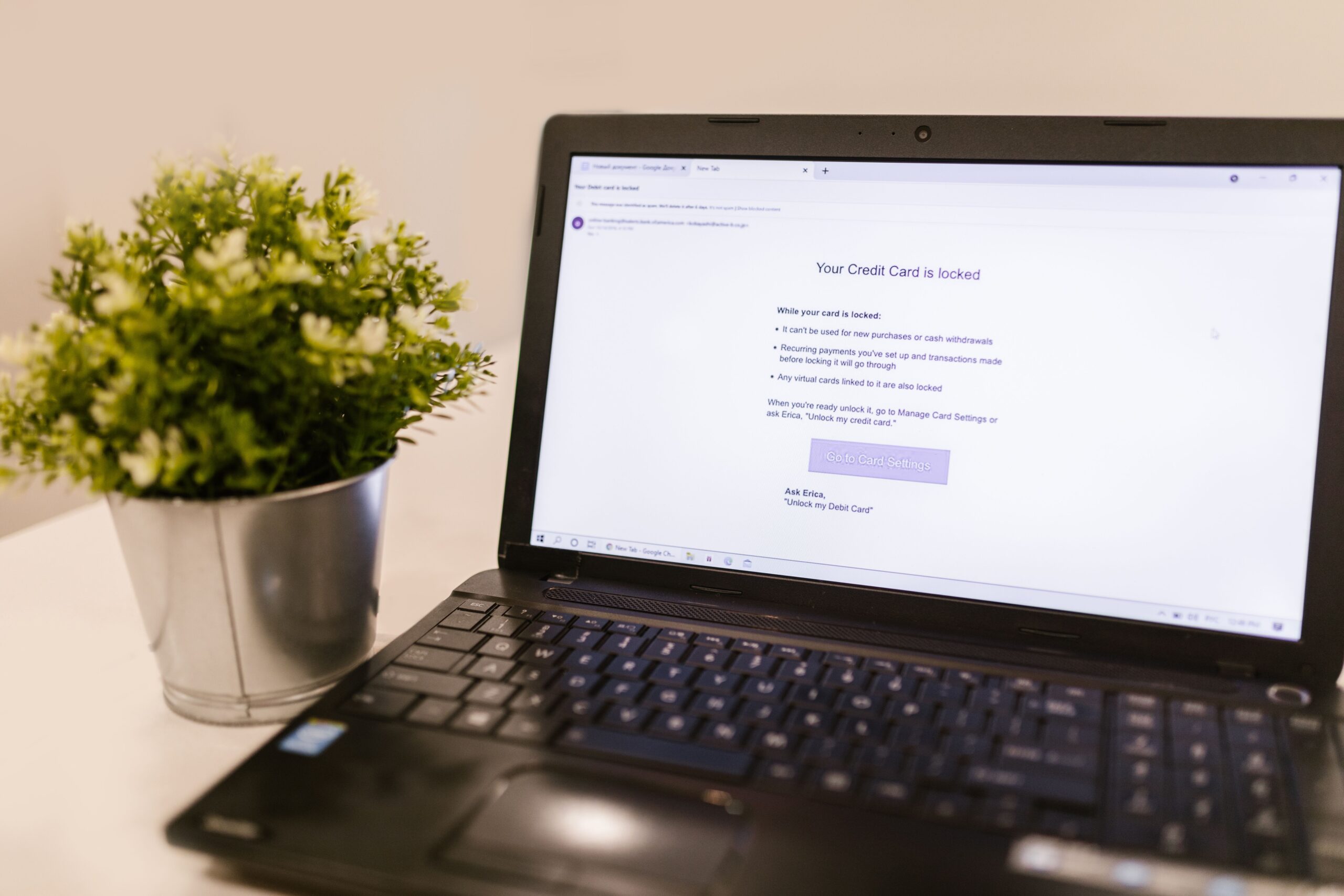
Phishing attacks can target individuals, employees, schools, small businesses, and large organizations. A convincing message can look like it came from a bank, employer, delivery company, technology provider, or even someone you know.
The good news is that awareness can significantly reduce risk. By learning how phishing works, recognizing warning signs, and following strong security practices, you can make these attacks much harder to succeed.
What Is Phishing?
Phishing is a type of social engineering attack in which someone impersonates a trusted person or organization to manipulate a target. The goal is often to steal credentials, financial information, personal data, or access to an account.
Attackers may use email, text messages, phone calls, social media, fake websites, or other communication channels. Some campaigns are broad and send similar messages to thousands of people. Others are highly targeted and use information about a specific person or organization.
The CISA phishing guidance explains why recognizing suspicious communications is an important part of cybersecurity defense.
How Do Phishing Attacks Work?
A typical phishing campaign has several stages. First, the attacker creates a message designed to appear trustworthy. Next, the message creates a reason for the recipient to act. Finally, the attacker attempts to capture information or cause another harmful action.
For example, a message may claim that an account needs verification. It might include a link to a fake login page. If the victim enters a username and password, the attacker may receive those credentials.
Other attacks may use malicious attachments, fake invoices, fraudulent payment requests, or links to websites designed to distribute harmful software.
Why Phishing Is So Effective
Phishing works because it targets human decision-making. Attackers often create urgency, fear, curiosity, or authority.
A message might say that an account will be suspended soon. Another may claim that an important payment requires immediate approval.
These messages are designed to reduce the time available for careful thinking. That is why slowing down is one of the simplest phishing defenses.
Common Types of Phishing Attacks
Email Phishing
Email phishing is one of the most recognizable forms. Attackers send fraudulent messages that imitate legitimate organizations or individuals.
Common examples include fake account notifications, password reset requests, invoices, delivery notices, and security alerts.
Spear Phishing
Spear phishing is more targeted. The attacker may research a specific person, company, department, or role before creating the message.
Because the content can appear highly relevant, spear phishing may be harder to identify than a generic scam.
Smishing
Smishing is phishing delivered through SMS or other messaging services. A message might contain a suspicious link or ask the recipient to contact a fraudulent number.
Never assume a text message is safe simply because it arrives on a mobile device.
Vishing
Vishing uses voice communication. A scammer may impersonate a bank employee, technical support representative, government official, or another trusted party.
The caller may try to persuade the victim to reveal sensitive information or perform an action.
Business Email Compromise
Business email compromise involves impersonating executives, suppliers, employees, or other trusted business contacts. The attacker may attempt to redirect payments or obtain confidential information.
Businesses can reduce this risk by using strong verification procedures for financial requests.
Phishing Through Fake Websites
Some phishing attacks depend on fraudulent websites. The site may copy the branding and layout of a legitimate service.
Before entering sensitive information, check the website address carefully. However, do not rely on appearance alone. A professional-looking website can still be fraudulent.
How to Detect a Phishing Attack
Learning to recognize warning signs is one of the most valuable cybersecurity skills. A single suspicious detail does not always prove that a message is fraudulent. However, several warning signs together should make you stop and verify.
1. Unexpected Urgency
Be cautious when a message demands immediate action. Attackers often use deadlines to encourage quick decisions.
If the request involves money, passwords, account access, or sensitive information, take time to verify it independently.
2. Suspicious Links
Hover over links on a computer when possible to inspect the destination before clicking. On mobile devices, be especially careful with shortened or unfamiliar links.
Instead of following a link in an unexpected message, visit the organization’s official website using a trusted bookmark or manually entered address.
3. Unexpected Attachments
Be careful with unexpected documents, archives, or other attachments. A familiar-looking filename does not guarantee that a file is safe.
If an attachment seems unusual, confirm with the sender through another trusted communication channel.
4. Requests for Sensitive Information
Be suspicious when someone unexpectedly asks for passwords, authentication codes, financial information, or other sensitive data.
Legitimate organizations generally have established procedures for handling sensitive information. Verify unusual requests before responding.
5. Sender Address Problems
Look closely at the sender’s address. Attackers may use addresses that resemble legitimate ones but contain subtle differences.
Also remember that sender information can sometimes be manipulated. Therefore, the sender address should be only one part of your assessment.
6. Unusual Language or Formatting
Grammar mistakes can be a warning sign, but modern phishing messages can be professionally written. Do not assume a message is legitimate simply because it has perfect spelling and formatting.
Focus on the entire context. Was the message expected? Is the request normal? Does the sender normally communicate this way?
How to Prevent Phishing Attacks
Effective phishing prevention combines user awareness with technical security controls. Individuals should know what to look for, while organizations should reduce the damage caused by mistakes.
Use Multifactor Authentication
Multifactor authentication adds another layer of protection beyond a password. If a password is stolen, an additional authentication factor can make account takeover more difficult.
Organizations should prioritize strong authentication for email, administrative accounts, financial systems, and other important services.
Our website security guide provides additional information about protecting online systems and accounts.
Use Strong, Unique Passwords
Do not reuse the same password across important accounts. If attackers obtain a reused password, they may attempt to use it elsewhere.
A reputable password manager can help generate and store unique passwords.
Keep Software Updated
Regular updates can address known security weaknesses. Keep operating systems, browsers, applications, security software, and mobile devices updated.
Updates are only one layer of defense, but they are an important part of a broader cybersecurity strategy.
Enable Email Security Controls
Organizations can use email security technologies to identify and block suspicious messages. Domain-based authentication technologies can also help reduce certain forms of email impersonation.
Administrators should consider protections such as SPF, DKIM, and DMARC as part of a broader email security program.
Train Employees Regularly
Security awareness training should not happen only once a year. Short and regular training can help employees recognize changing attack techniques.
Organizations can combine training with clear reporting procedures. Employees should know where to report suspicious messages without fear of embarrassment.
Our cybersecurity resources can also help businesses develop broader security awareness and protection practices.
What to Do If You Click a Phishing Link
Do not panic. Taking quick, sensible action can limit potential damage.
First, stop interacting with the suspicious website or message. If you entered a password, change that password through the legitimate service. If you reused the password elsewhere, change it on those accounts too.
If you provided sensitive information or believe an account may have been compromised, notify the appropriate organization or administrator. Businesses should follow their cybersecurity incident response plan when a potential security incident occurs.
If you downloaded a suspicious file, avoid opening it and report the event to the appropriate technical or security team.
How Businesses Can Reduce Phishing Risk
Businesses need more than employee awareness. A layered approach can reduce both the likelihood and impact of phishing incidents.
Start with strong identity security. Use multifactor authentication and apply least-privilege access. Protect administrative accounts carefully.
Next, improve email security. Use filtering, domain authentication, malware detection, and suspicious-link protection where appropriate.
Organizations should also maintain reliable backups and test recovery procedures. If an attack causes disruption, tested backups can improve resilience.
Security teams should monitor authentication events and investigate unusual activity. This is particularly important after suspected credential theft.
The FTC cybersecurity guidance for businesses offers additional recommendations for improving organizational security practices.
Phishing Prevention Checklist
Use this simple checklist whenever you receive an unexpected message:
- Stop before clicking.
- Check whether you expected the message.
- Inspect the sender carefully.
- Check links before opening them.
- Be cautious with unexpected attachments.
- Question urgent requests.
- Never share passwords or authentication codes unexpectedly.
- Verify financial requests through another channel.
- Use multifactor authentication.
- Report suspicious messages promptly.
Phishing and Online Security: A Bigger Picture
Phishing prevention is part of a much larger cybersecurity strategy. Strong passwords, multifactor authentication, secure devices, software updates, backups, access controls, and employee education all work together.
This matters for individuals and businesses alike. A small organization may have limited security resources, but basic controls can still make a major difference.
If you operate a small company, review our small business cyber security checklist for additional defensive measures.
It is also useful to understand how attackers evolve. Phishing messages can become more personalized and convincing over time. Therefore, cybersecurity awareness should be treated as an ongoing process rather than a one-time lesson.
Final Thoughts on Phishing Attacks Explained: How to Detect and Prevent Them
Phishing Attacks Explained: How to Detect and Prevent Them comes down to one essential principle: do not let an unexpected message force you into a quick decision.
Check the context. Verify the sender. Inspect links carefully. Avoid unexpected attachments. Use multifactor authentication and unique passwords. Businesses should also combine employee training with strong technical controls.
Phishing attacks continue to rely heavily on trust and deception. However, awareness and layered security can reduce the chances of a successful attack. When something feels unusual, pause and verify it through a trusted channel before taking action.
