Tag: VPN Privacy

  • Best VPN Security Practices for Online Privacy

    Best VPN Security Practices for Online Privacy

    Online privacy has become increasingly important as people use public Wi-Fi, cloud services, social networks, streaming platforms, online shopping, and other internet-connected services every day. A VPN, or virtual private network, can improve privacy by routing your internet traffic through an encrypted connection to a VPN server.

    However, simply installing a VPN does not guarantee complete online privacy. Your provider, VPN settings, device security, browsing habits, and the websites you visit all matter. Understanding the Best VPN Security Practices for Online Privacy can help you use this technology more responsibly and avoid common mistakes.

    A VPN is best viewed as one part of a broader privacy strategy. It can help protect traffic from local network observers and hide your IP address from websites. However, it does not make you anonymous, prevent every form of tracking, or protect an infected device.

    What Is a VPN and How Does It Protect Privacy?

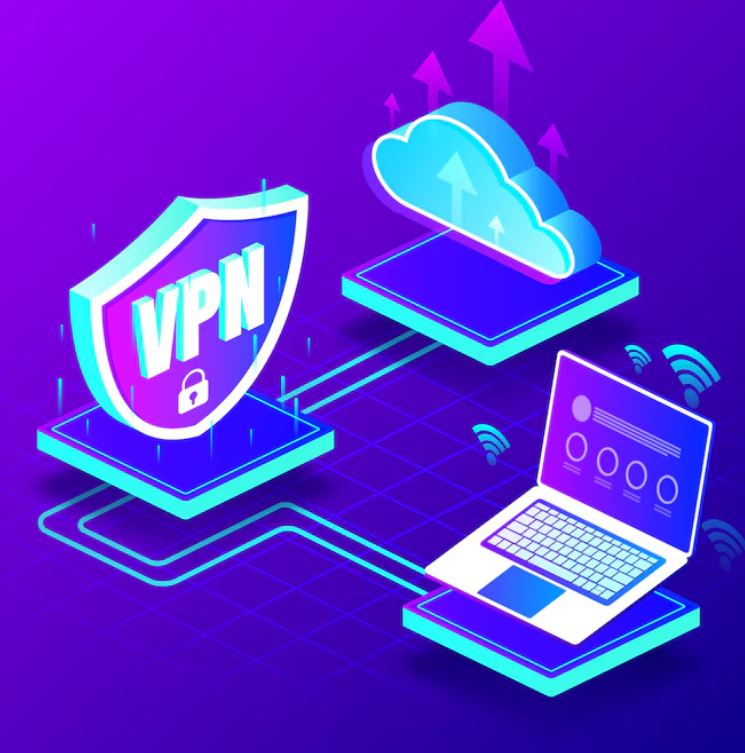
    A virtual private network creates an encrypted connection between your device and a VPN server. Your internet traffic travels through that connection before reaching its destination.

    One major benefit is that websites generally see the VPN server’s IP address rather than your original IP address. A VPN can also prevent people operating the local network from easily inspecting the contents of properly encrypted traffic passing through the VPN tunnel.

    The Electronic Frontier Foundation’s VPN guide explains that VPNs route traffic through an encrypted tunnel and can mask your IP address. However, it also warns that VPN providers may be able to see information that would otherwise be visible to your internet service provider.

    That distinction is important. A VPN can change who you trust with certain network information. It does not eliminate the need to trust anyone.

    Why VPN Security Practices Matter

    Many VPN services advertise privacy as their primary benefit. Yet VPN security depends on more than encryption. A poorly configured VPN, outdated application, questionable provider, or compromised device can weaken the protection you expect.

    Good VPN habits can help you get more value from the technology while avoiding unrealistic expectations.

    1. Choose a Reputable VPN Provider

    Your VPN provider plays an important role because the provider operates the servers through which your traffic travels.

    Before selecting a service, examine its privacy policy. Look for clear information about data collection, retention, account information, diagnostics, and sharing practices. Avoid making your decision based only on advertising claims such as “100% anonymous.”

    A useful privacy policy should explain what information the company collects and why it collects it. It should also make the provider’s business model understandable.

    Independent audits can provide additional information, although an audit does not automatically prove that a provider is perfect. Consider the scope, date, and methodology of any published assessment.

    2. Use Strong VPN Protocols

    VPN protocols determine how the secure tunnel is established and how data is transported. Modern VPN applications may offer different protocol choices.

    When possible, use a modern, well-maintained protocol supported by your provider. Avoid obsolete protocols that are no longer considered appropriate for modern security requirements.

    For organizations, CISA VPN security guidance recommends strong cryptography and advises administrators to disable unused VPN features and cryptographic algorithms.

    For everyday users, the practical lesson is simple: keep the VPN application updated and use the provider’s current recommended secure protocol unless you have a specific reason to change it.

    Best VPN Security Practices for Online Privacy

    3. Keep Your VPN App Updated

    Software vulnerabilities can affect VPN applications just as they affect browsers, operating systems, and other programs.

    Install security updates promptly. If the VPN application supports automatic updates, consider enabling them. Also keep your operating system and browser updated.

    This is one of the easiest VPN security practices to follow. A secure connection cannot compensate for an outdated device with known security weaknesses.

    4. Enable a Kill Switch When Appropriate

    A VPN kill switch is designed to prevent internet traffic from continuing through the normal connection if the VPN tunnel unexpectedly disconnects.

    This can be useful when maintaining the VPN connection is important to your privacy. For example, you may not want your device to briefly reconnect through your regular network connection after the VPN drops.

    Test the feature after enabling it. Different applications implement kill switches differently, so understanding how your particular VPN handles a connection failure is important.

    5. Check for DNS and IP Leaks

    VPN users sometimes focus only on whether their IP address changes. Privacy can involve other network information as well.

    DNS requests can reveal information about the websites or services your device is attempting to reach. A well-configured VPN should handle DNS traffic appropriately according to its design and privacy policy.

    After setting up a VPN, you can use reputable online privacy testing tools to check whether your apparent IP address and DNS configuration match your expectations.

    6. Be Careful With Free VPN Services

    Free does not always mean unsafe. However, operating VPN infrastructure costs money. If a service does not charge users directly, it is reasonable to ask how the company funds its operations.

    Read the privacy policy before using a free VPN. Pay attention to advertising, data collection, analytics, third-party sharing, and retention practices.

    Your privacy has value. A low-cost or free service can become expensive if its business model depends on collecting information you expected it to protect.

    Do VPNs Make You Anonymous?

    No. This is one of the most important points in any discussion of the Best VPN Security Practices for Online Privacy.

    A VPN can hide your IP address from websites and help protect your traffic from certain local observers. But websites can still identify users through accounts, cookies, browser characteristics, tracking technologies, and other information.

    If you sign into a website, the website can associate your activity with that account regardless of whether you use a VPN.

    The EFF similarly notes that VPN advertising can overstate what VPNs accomplish. A VPN is primarily a tool for routing your connection through another network. It should not be treated as a complete anonymity solution.

    Use HTTPS Alongside a VPN

    A VPN should not replace HTTPS. Instead, the two technologies can complement each other.

    HTTPS encrypts communication between your browser and a website when properly implemented. A VPN protects the connection between your device and the VPN server.

    Whenever possible, use websites that support HTTPS. Modern browsers generally warn users when connections are not secure, but you should still pay attention to suspicious websites and unexpected login pages.

    This layered approach is a core principle of online privacy. Do not depend on a single security technology.

    Secure the Device Running Your VPN

    A VPN cannot protect every activity on a compromised device.

    For example, if malware is already running on your computer, it may be able to access information before it enters the VPN tunnel or after it leaves the tunnel. The same basic principle applies to smartphones and tablets.

    Use a screen lock, install operating system updates, download applications from trustworthy sources, and use reputable security tools where appropriate.

    Also review which applications have access to sensitive information such as your location, microphone, camera, contacts, and files.

    Be Careful on Public Wi-Fi

    Public Wi-Fi can be convenient in airports, hotels, libraries, cafes, and other locations. However, you should not assume that a network is trustworthy simply because it requires a password.

    A VPN can add protection when using an untrusted network. Still, you should continue using HTTPS, avoid suspicious links, and keep your device updated.

    For sensitive accounts, use strong passwords and multi-factor authentication as well. VPN protection and account security solve different problems.

    Review VPN Permissions and Settings

    VPN applications may request device permissions. Review these permissions carefully and understand why they are required.

    Also examine settings such as automatic connection, local network access, split tunneling, DNS configuration, and startup behavior. The best configuration depends on your privacy needs and the services you use.

    Split tunneling, for example, can allow selected traffic to bypass the VPN. This may improve compatibility or performance, but it also means that not all traffic is receiving the same VPN routing.

    Understand VPN Logging Policies

    One of the most important VPN privacy tips is to understand what your provider logs.

    There is no universal definition of “no logs.” Providers can use different terminology and retain different types of technical information.

    Read the provider’s privacy policy. Look for details about connection timestamps, IP addresses, bandwidth, diagnostic information, payment data, and account identifiers.

    Remember that a VPN provider may still have information about your account even if it does not retain detailed browsing activity.

    Use MFA and Strong Passwords

    VPN security is only one part of account protection. Your online accounts should also use unique passwords and multi-factor authentication where available.

    If your VPN account supports MFA, enable it. A strong password combined with an additional authentication factor can make unauthorized account access more difficult.

    This is especially important when a VPN account stores payment information, personal details, or configuration information.

    Watch for VPN Phishing Scams

    Cybercriminals can imitate legitimate VPN services through fake websites, emails, advertisements, and applications.

    Only download VPN software from the provider’s legitimate website or an official app marketplace. Check the publisher name before installing an application.

    Never enter your VPN password into a suspicious login page. Be especially cautious when an unexpected message claims that your VPN subscription has expired and asks you to make an urgent payment.

    VPN Security for Remote Work

    Businesses should treat VPN access as a security-sensitive entry point. VPN systems should be patched, monitored, and configured according to organizational risk.

    CISA has repeatedly highlighted the importance of updating VPN infrastructure and protecting remote access. Its guidance also emphasizes that VPNs can contain vulnerabilities and that security depends on connected devices and proper configuration.

    Organizations should also consider multi-factor authentication, least-privilege access, endpoint security, logging, and modern network-access approaches where appropriate.

    What a VPN Cannot Protect You From

    Understanding limitations is just as important as knowing the benefits.

    • A VPN does not make phishing websites safe.
    • A VPN does not automatically block malware.
    • A VPN does not prevent every form of online tracking.
    • A VPN does not protect an account with a stolen password by itself.
    • A VPN does not guarantee complete anonymity.
    • A VPN cannot fix security problems on a compromised device.

    These limitations do not make VPNs useless. They simply show why a VPN should be part of a larger internet privacy strategy.

    Best VPN Security Checklist

    Before relying on a VPN for privacy, review this simple checklist:

    • Choose a provider with a clear privacy policy.
    • Use a current and reputable VPN protocol.
    • Keep the VPN application updated.
    • Enable a kill switch when it suits your needs.
    • Review DNS and IP leak behavior.
    • Use HTTPS whenever available.
    • Secure your device with updates and strong authentication.
    • Use MFA on important accounts.
    • Understand the provider’s logging and data-retention practices.
    • Download VPN applications only from trustworthy sources.

    Final Thoughts on VPN Privacy

    The Best VPN Security Practices for Online Privacy are not about finding a single tool that solves every security problem. They are about using a VPN correctly and understanding what it can and cannot do.

    Start by choosing a reputable provider. Then keep your application updated, use secure protocols, review privacy settings, and understand the provider’s data practices. Combine the VPN with HTTPS, strong passwords, MFA, secure devices, and careful browsing habits.

    A VPN can be a useful layer of protection, especially on networks you do not fully trust. However, the strongest privacy strategy uses multiple layers rather than depending on one application.

    As online tracking and cybersecurity threats continue to evolve, staying informed is one of the best forms of protection. Use VPN technology thoughtfully, question exaggerated privacy claims, and regularly review the security settings of the devices and accounts you use.

  • VPN Security Explained: How a VPN Protects Your Privacy

    VPN Security Explained: How a VPN Protects Your Privacy

    VPN Security Explained: How a VPN Protects Your Privacy is an important topic for anyone who spends time online. Every day, devices send information across networks. That information can include websites you visit, the services you use, and details about your connection.

    A VPN, or Virtual Private Network, can add an important layer of protection by creating an encrypted connection between your device and a VPN server. This can be especially useful when connecting through networks you do not fully trust.

    However, a VPN is not a magic privacy tool. It does not make you completely anonymous. It also does not replace strong passwords, multi-factor authentication, software updates, or safe browsing habits. Understanding what a VPN actually does can help you use the technology more effectively.

    What Is a VPN?

    A Virtual Private Network creates a protected connection between your device and a VPN server. Your internet traffic is routed through that server before reaching its destination.

    Normally, your device connects to a local network and then to your internet service provider. With a VPN, the VPN application establishes an encrypted tunnel between your device and the VPN provider’s server.

    Modern VPN technology can use protocols such as IPsec to provide confidentiality, integrity, authentication, and other security protections. The NIST guide to IPsec VPNs explains how VPN technologies can protect communications across IP networks.

    This is the basic idea behind VPN security: protect the connection between your device and the VPN server so that information moving across that portion of the network is harder for outsiders to observe.

    How Does VPN Security Work?

    When you activate a VPN, your device creates a connection to the VPN provider’s server. The VPN software then routes supported internet traffic through that connection.

    Encryption helps protect data while it travels between your device and the VPN server. Someone monitoring an unsecured local network may therefore have a harder time reading that traffic.

    For example, public Wi-Fi networks can create security concerns because you may not control the network or know who else is connected. A properly configured VPN can add protection to traffic sent over such a network.

    The Federal Trade Commission’s VPN guidance explains that VPN apps can encrypt traffic between a device and the VPN server, helping shield information from people monitoring an insecure network.

    What Does a VPN Hide?

    One common reason people use VPN services is to change which IP address websites see. Instead of seeing the IP address associated with your normal internet connection, a website may see the VPN server’s IP address.

    This can make your approximate network location less obvious to websites and online services. It can also make your internet traffic appear to originate from the VPN server rather than directly from your connection.

    However, this does not mean that a VPN hides everything about you.

    Websites can still identify you when you sign in to an account. Cookies, browser settings, account information, and other technologies can also be used to associate activity with you.

    That is why it is more accurate to think of a VPN as a privacy and network-security layer, rather than a complete anonymity solution.

    VPN Encryption and Your Privacy

    Encryption is one of the most important features to understand when discussing VPN security explained in practical terms.

    Encryption transforms readable information into protected data that cannot be easily understood without the appropriate cryptographic key. A secure VPN uses encryption to protect traffic traveling through its tunnel.

    This can be valuable on networks where you do not have complete control. It can reduce the risk of someone on the same local network viewing traffic that would otherwise be exposed.

    Still, encryption does not make every connection automatically secure. Websites should also use HTTPS. Your VPN provider must also implement appropriate security measures.

    NIST explains that VPN technologies can provide security services for communications across public networks, while also noting that VPNs do not eliminate every networking risk. Read the NIST VPN security recommendations for additional technical background.

    Can a VPN Protect You on Public Wi-Fi?

    Public Wi-Fi is one of the clearest situations where a VPN can be useful.

    Cafes, hotels, airports, libraries, and other public locations may provide wireless internet access. You may not know how the network is configured or who else is using it.

    A VPN can encrypt traffic between your device and the VPN server. This creates an additional barrier against local network monitoring.

    However, you should still use HTTPS websites, keep your device updated, and avoid entering sensitive information into suspicious websites.

    The FTC recommends researching VPN applications before installing them. It also advises users to review permissions, verify that the application provides encryption, and examine whether the provider shares information with third parties.

    VPN Privacy Depends on the VPN Provider

    There is an important trade-off that many VPN advertisements do not explain clearly.

    When you use a VPN, you are shifting some trust away from your local network and toward the VPN provider. Your VPN service can potentially observe information about your connection and traffic, depending on how the service is designed and what data it collects.

    This makes the provider’s privacy policy important.

    Before choosing a service, investigate what information it collects, how that information is used, how long it is retained, and whether it is shared with other companies.

    Be particularly careful with free VPN services. “Free” does not automatically mean unsafe, but a service still needs a sustainable business model. The FTC has warned that some VPN apps may share information with third parties or use data for advertising and analytics.

    Free VPN vs. Paid VPN

    The choice between a free and paid VPN should not be based on price alone.

    Free services may have limitations involving speed, server locations, features, advertising, or data collection. Some may also provide weaker privacy protections.

    Paid services can offer more features, but paying for a subscription does not automatically guarantee excellent privacy or security.

    Instead, evaluate the provider’s reputation, security practices, privacy policy, transparency, application permissions, and technical features.

    A trustworthy VPN service should clearly explain how it handles user information. Avoid choosing a provider based only on claims such as “100% anonymous” or “completely invisible online.”

    VPNs Do Not Make You Completely Anonymous

    This is one of the most important facts in VPN security explained.

    A VPN can hide your normal IP address from websites and encrypt traffic between your device and the VPN server. But it does not erase your digital identity.

    For example, if you sign in to an online account, the service knows that account is being used. A VPN cannot prevent the service from recognizing information that you voluntarily provide.

    Likewise, a VPN does not automatically stop malware, phishing, weak passwords, unsafe downloads, or account compromises.

    The FTC specifically notes that VPN applications generally do not make users entirely anonymous. Instead, they shift trust from the local network or internet provider toward the VPN provider.

    VPN vs. HTTPS: What Is the Difference?

    VPN encryption and HTTPS protect different parts of your internet connection.

    HTTPS protects communication between your browser and a particular website. It is widely used for websites that handle login credentials, payments, and other sensitive information.

    A VPN creates an encrypted connection between your device and the VPN server. It can therefore provide protection before traffic reaches its final destination.

    These technologies can work together. Using a VPN does not mean you should ignore HTTPS. In fact, both layers can contribute to better overall security.

    What a VPN Cannot Protect You From

    Understanding the limitations of VPN technology is just as important as understanding its benefits.

    Phishing Attacks

    A VPN cannot determine whether an email or website is a phishing attempt. You still need to check links and website addresses carefully.

    Weak Passwords

    A VPN does not make a weak password stronger. Use unique passwords and consider a reputable password manager. Multi-factor authentication can provide another layer of account protection.

    Malware

    A VPN is not a replacement for device security software or safe browsing practices. Avoid suspicious downloads and keep your operating system and applications updated.

    Tracking by Logged-In Services

    If you sign in to a service, the service can still associate your activity with your account. A VPN does not change that basic fact.

    How to Choose a VPN for Better Security

    If you decide that a VPN fits your privacy and security needs, take time to research the provider.

    Look for clear information about encryption, supported VPN protocols, privacy practices, data retention, and account security. Check whether the provider explains how it handles connection information and other data.

    Also review independent security assessments when available. Do not rely entirely on marketing claims.

    Application permissions deserve attention too. A VPN app should not request unrelated permissions without a clear reason. The FTC recommends reviewing requested permissions before installing VPN applications.

    VPN Security Best Practices

    You can get more value from a VPN by combining it with other good security habits.

    • Use a reputable VPN provider with clear privacy practices.
    • Keep your VPN application updated.
    • Use HTTPS websites whenever possible.
    • Enable multi-factor authentication on important accounts.
    • Use strong and unique passwords.
    • Keep your operating system and browser updated.
    • Review the VPN provider’s privacy policy.
    • Be cautious with free VPN applications.
    • Do not assume a VPN provides complete anonymity.
    • Use additional security tools when appropriate.

    For organizations, VPN technology can also support secure remote access. The NIST guidance on SSL VPNs discusses secure remote access and considerations for implementing VPN solutions.

    Why VPN Security Matters for Remote Work and Travel

    Remote workers and travelers often connect from different networks. This can increase the importance of secure network communication.

    A VPN can help create a protected connection when accessing resources through networks outside your usual environment. Businesses may also use VPN technology to connect employees securely to internal systems.

    However, organizations should not rely on VPNs alone. Secure authentication, device management, software updates, access controls, and monitoring are also important parts of a modern security strategy.

    Final Thoughts on VPN Security

    VPN Security Explained: How a VPN Protects Your Privacy comes down to understanding what a VPN can and cannot do.

    A VPN can encrypt traffic between your device and a VPN server. It can help protect network traffic on untrusted connections and can hide your normal IP address from websites. These features can improve privacy and network security.

    At the same time, a VPN is not an anonymity guarantee. The VPN provider becomes an important party you must trust. Websites can still identify logged-in users, and a VPN cannot prevent phishing, malware, weak passwords, or other common security problems.

    The best approach is to use a VPN as one part of a broader online privacy and cybersecurity strategy. Combine it with strong passwords, multi-factor authentication, HTTPS, updated software, and careful browsing habits.

    When you understand those limits, you can make a more informed decision about whether VPN technology is right for your online security needs.