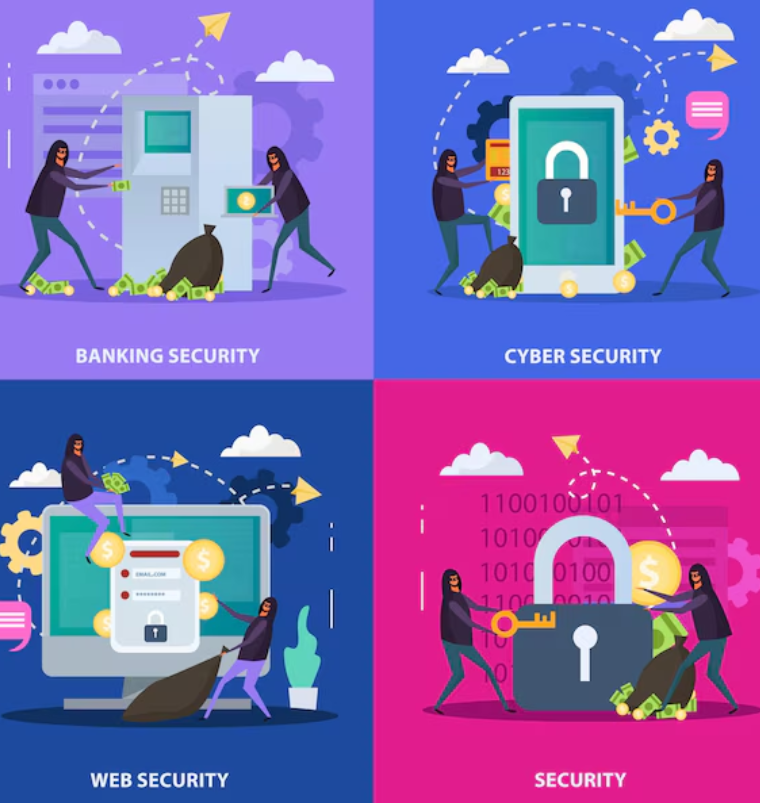
Identity theft is one of the most common online security concerns for individuals and families. Criminals can use stolen personal information to access accounts, impersonate victims, commit fraud, or attempt to open services in someone else’s name.
That is why learning How to Prevent Identity Theft Online: Complete Security Guide strategies is important for anyone who uses the internet. You do not need to be a cybersecurity expert to improve your online privacy and security. A few consistent habits can significantly reduce unnecessary exposure.
This complete guide explains practical ways to protect personal information online. You will learn how to secure accounts, create stronger passwords, recognize phishing attempts, protect your devices, use social media safely, and respond if you believe your information has been compromised.
What Is Identity Theft?
Identity theft occurs when someone obtains and uses another person’s personal information without permission. The stolen information can potentially include names, account details, identification information, contact information, or other sensitive data.
Online identity theft can happen in several ways. Criminals may use phishing messages, fake websites, data breaches, malicious software, social engineering, or compromised accounts to obtain information.
The goal is often financial fraud or unauthorized account access. However, identity-related information can also be used for other forms of impersonation and fraud.
The FTC IdentityTheft.gov website provides official guidance on recognizing identity theft, reporting it, and creating a recovery plan.
Why Online Identity Theft Is a Serious Risk
People share personal information with many online services. Shopping websites, social networks, email providers, banks, schools, apps, and other platforms may store information about their users.
This creates convenience, but it also creates security risks. A compromised account can expose additional information or provide access to other connected services.
Identity theft can also take time to discover. Someone may not notice suspicious activity until an account is accessed, an unexpected transaction appears, or another warning sign occurs.
The best approach is therefore prevention. Build strong security habits before a problem occurs.
1. Use Strong and Unique Passwords
One of the simplest ways to improve online identity protection is to use a different password for every important account.
Reusing the same password across multiple websites creates a major risk. If one website experiences a breach and your password is exposed, criminals may attempt to use that same password on other services.
Create long, unique passwords or passphrases. Avoid obvious information such as names, birthdays, usernames, or common phrases.
A reputable password manager can help generate and store unique passwords. You only need to remember the password or passphrase that protects the password manager itself.
2. Enable Multi-Factor Authentication
Multi-factor authentication, or MFA, adds another layer of security to an account. Instead of relying only on a password, the service asks for an additional verification method.
Whenever a service offers MFA, consider enabling it, especially for email, financial, cloud storage, and other important accounts.
MFA can be particularly valuable because passwords can sometimes be stolen through phishing or data breaches. An additional authentication factor can make unauthorized access more difficult.
For more information, the CISA multi-factor authentication guidance explains why MFA is an important security control.
3. Protect Your Email Account
Your email account deserves special attention. It may be connected to many other services and can be used to reset passwords.
Use a unique password and enable MFA. Review account recovery options regularly. Remove recovery information that is outdated or no longer under your control.
Also review active sessions and connected devices when your email provider offers these features. Sign out of sessions you do not recognize.
4. Learn How to Recognize Phishing
Phishing is a common method used to trick people into revealing information or interacting with harmful content.
A phishing message may pretend to come from a bank, delivery company, school, employer, social network, or another trusted organization. It may create a sense of urgency and ask you to click a link or confirm account information.
Be cautious when a message unexpectedly asks for sensitive information. Check the sender and consider visiting the organization’s official website directly instead of using a link in the message.
Common Phishing Warning Signs
- Unexpected requests for passwords or personal information
- Urgent threats about account closure
- Unusual payment requests
- Suspicious website addresses
- Unexpected attachments
- Messages containing unusual spelling or formatting
- Requests to bypass normal security procedures
Not every phishing message will contain obvious mistakes. Modern scams can look convincing. When something seems unusual, verify it through a trusted channel.
5. Be Careful About What You Share Online
Personal information can become useful to attackers when combined from multiple sources. Avoid publicly sharing unnecessary details about yourself.
Be especially careful with information that could help someone guess passwords or answer security questions. This can include birthdays, addresses, school information, family details, or other identifying information.
Review your social media privacy settings. Consider who can see your posts, profile information, contact details, and photos.
6. Secure Your Smartphone and Computer
Your devices contain valuable information. If a device is poorly protected, someone who gains access to it may also gain access to accounts and personal files.
Use a screen lock and keep your operating system and applications updated. Install software from trusted sources and remove applications you no longer need.
For computers, use appropriate security software and keep important files backed up. Avoid installing unknown programs simply because a website or pop-up recommends them.
7. Avoid Sensitive Activities on Untrusted Networks
Public Wi-Fi can be convenient, but you should still think carefully about security when connecting to unfamiliar networks.
Verify that you are connecting to the intended network. Avoid interacting with suspicious login pages or entering sensitive information into websites you do not trust.
For important accounts, always check that the website connection is secure and that you are using the legitimate service.
8. Shop Online Carefully
Online shopping requires careful attention to website legitimacy and account security.
Before entering payment or account information, check that you are using the correct website. Be cautious about advertisements or messages that lead to unfamiliar shopping pages with unusually attractive offers.
Use unique passwords for shopping accounts and enable MFA when available. Review account activity and transaction notifications regularly.
9. Monitor Your Financial and Online Accounts
Regular monitoring can help you identify suspicious activity earlier.
Review financial accounts and important online services for transactions, password changes, login alerts, or profile changes that you do not recognize.
Enable notifications where available. Alerts can provide an early warning when something unusual happens.
If you notice an unauthorized transaction or account change, contact the relevant organization using an official contact method. Do not rely on contact information provided by a suspicious message.
10. Be Careful With Data Breaches
A data breach occurs when unauthorized parties gain access to information held by an organization. You may not have control over whether a company experiences a breach, but you can control how you respond.
If a service informs you that your account may have been affected, follow its official security recommendations. Change the affected password if necessary, especially if you reused it elsewhere.
Review other accounts that use similar credentials. This is another reason why unique passwords are so important.
11. Limit App Permissions
Apps may request access to information and device features. Before granting permission, consider whether the request makes sense for the app’s purpose.
Review permissions periodically. Remove access that an application no longer needs. Also delete apps that you no longer use.
Keeping fewer unnecessary apps and permissions can reduce your overall digital exposure.
12. Protect Important Documents
Digital copies of sensitive documents should be stored carefully. Avoid uploading personal documents to unknown websites or sharing them through unverified services.
When you need to send sensitive information, verify the recipient and use the organization’s recommended secure process.
Keep physical documents secure as well. Identity protection is not limited to the internet.
13. Think Before Clicking Links
One of the most useful habits for identity theft prevention is to pause before clicking unexpected links.
Do not assume a message is legitimate because it uses a familiar logo or company name. Instead, open the official website or app separately and check whether there is actually an issue with your account.
This simple habit can reduce the risk of falling for phishing and fake login pages.
14. Review Your Digital Footprint
Over time, people often create accounts on services they no longer use. Old accounts can become unnecessary security risks.
Make a list of important online accounts and review which services you still use. Close accounts that are no longer needed when appropriate.
Also review old social media profiles, public posts, and other information that may reveal more personal details than you intended to share.
What to Do If You Suspect Identity Theft
If you believe someone has used your information without authorization, act promptly.
First, secure the affected accounts. Change compromised passwords and enable MFA. Contact the relevant service provider through an official channel.
If financial information may be involved, contact the appropriate financial institution and follow its fraud-reporting process.
Document suspicious activity. Keep copies of relevant messages, notifications, account alerts, and communications. This information may be useful when reporting the incident.
For U.S. consumers, IdentityTheft.gov provides step-by-step recovery guidance from the Federal Trade Commission.
Identity Theft Prevention Checklist
Use this checklist to review your current online security habits:
- Use unique passwords for important accounts.
- Use a reputable password manager if helpful.
- Enable multi-factor authentication.
- Secure your primary email account.
- Keep phones and computers updated.
- Learn to identify phishing attempts.
- Limit unnecessary personal information on social media.
- Review app permissions regularly.
- Monitor important accounts for suspicious activity.
- Use trusted websites for sensitive transactions.
- Review old and unused online accounts.
- Keep sensitive documents secure.
- Act quickly if you notice suspicious activity.
Final Thoughts on How to Prevent Identity Theft Online
Learning How to Prevent Identity Theft Online: Complete Security Guide strategies does not require complicated technical knowledge. Strong passwords, MFA, careful browsing, device security, privacy awareness, and regular account monitoring can provide a strong foundation.
The most important principle is to avoid relying on a single security measure. Use several layers of protection. If one defense fails, another may still reduce the damage.
Remember that online security is an ongoing process. Review your accounts and privacy settings regularly. Keep your devices updated. Learn about new scams. Most importantly, pause before sharing sensitive information or responding to unexpected requests.
If you are also interested in broader digital security, read our Cyber Security vs Information Security guide to understand how cybersecurity and information security work together. You can also explore our ransomware protection guide for practical business security strategies.
Good security habits may take only a few minutes to establish, but they can make a meaningful difference in protecting your digital identity.
