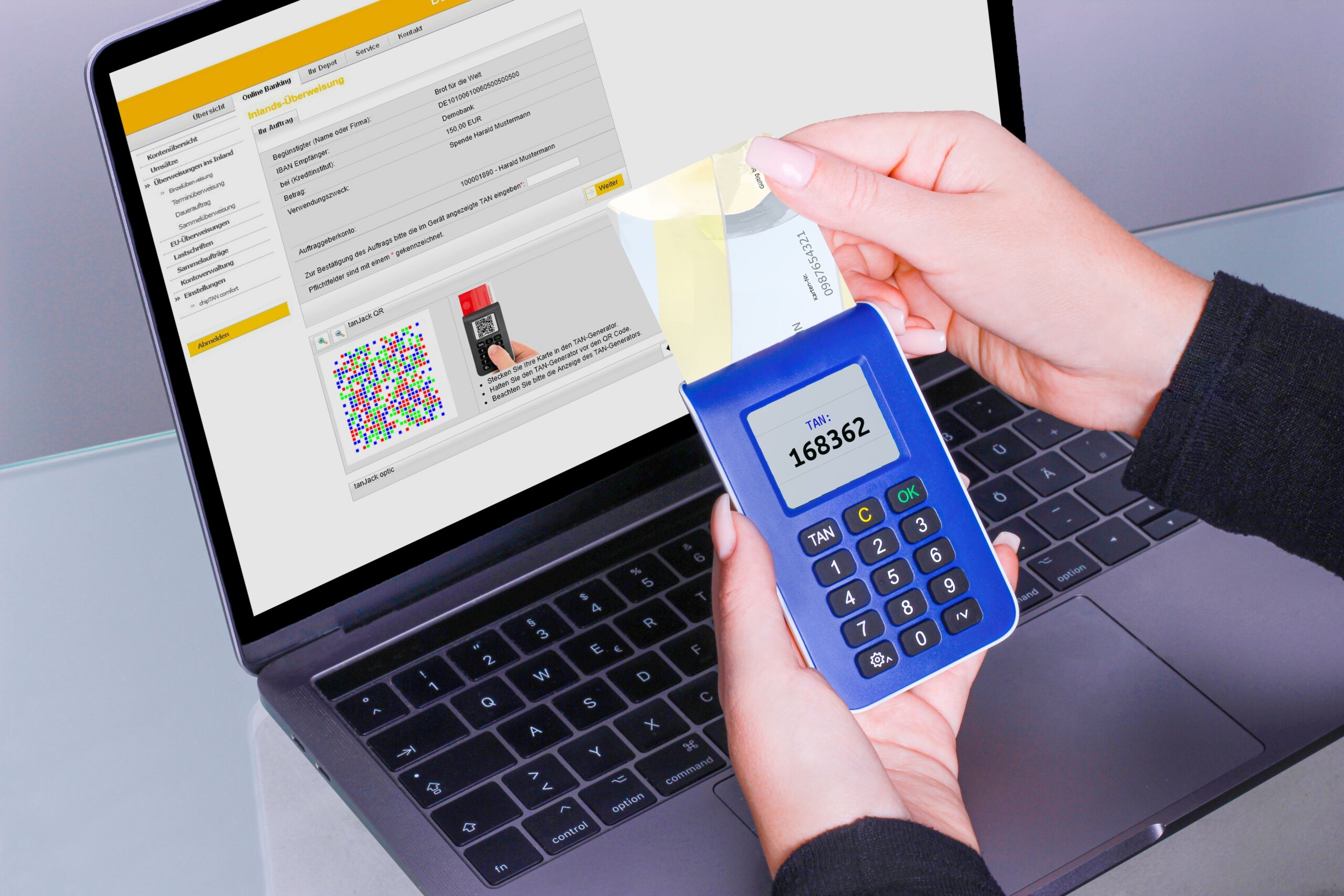
Your password is important, but it may not be enough to protect your online accounts. Passwords can be stolen through phishing, data breaches, malware, reused credentials, or simple guessing. That is why Multi-Factor Authentication: How MFA Protects Your Accounts has become an important topic for anyone who uses email, social media, banking, cloud storage, or other online services.
Multi-factor authentication, commonly called MFA, adds another verification step when you sign in. Instead of relying only on a password, MFA asks for additional proof that you are the legitimate account owner.
According to the National Institute of Standards and Technology (NIST), authentication can use different factors, including something you know, something you have, or something you are. Using multiple distinct factors creates an additional barrier for attackers.
What Is Multi-Factor Authentication?
Multi-factor authentication is a security method that requires two or more different authentication factors before access is granted. The goal is simple: make it harder for someone to access your account even if they obtain your password.
The three traditional authentication factor categories are:
- Something you know: A password, PIN, or other secret.
- Something you have: A smartphone, security key, authentication device, or other trusted device.
- Something you are: A biometric characteristic, such as a fingerprint or facial recognition.
NIST defines MFA as authentication that uses two or more different factors. This distinction matters because simply asking for two pieces of information does not always mean a system is using true multi-factor authentication. The factors should represent different categories.
How Does MFA Work?
The process is usually straightforward. First, you enter your username and password. The service then requests another authentication factor. Depending on the account, this could be a code generated by an authenticator app, a security key, a biometric check, or another approved method.
For example, imagine that someone obtains your password through a phishing attack. Without MFA, that password may be enough to access your account. With MFA enabled, the attacker may still need your second authentication factor.
This creates an important security barrier. A stolen password alone is less useful when another verification method is required.
Microsoft’s MFA guide explains that MFA can require additional verification when signing into an account or using a new device. Many services now provide this feature through their security settings.
Why Is MFA Important for Account Security?
Passwords have a major weakness: they can be compromised. People may reuse passwords across websites, choose predictable passwords, accidentally enter credentials into fake websites, or have their credentials exposed in a data breach.
Multi-Factor Authentication: How MFA Protects Your Accounts is therefore more than a password-security topic. It is about adding another layer between an attacker and your personal information.
1. MFA Reduces the Impact of Stolen Passwords
A compromised password does not automatically mean an account is compromised when MFA is properly configured. The attacker may still face a second authentication requirement.
This is especially valuable for important accounts such as email. Your email account can often be connected to password resets for other services. Protecting it with MFA can therefore help protect several parts of your digital life.
2. MFA Helps Protect Personal Information
Online accounts can contain private conversations, photographs, documents, contact information, purchase records, and other sensitive data. An attacker who gains access may be able to view or misuse this information.
MFA adds another checkpoint before account access is granted. It does not replace good security practices, but it can significantly strengthen the overall protection of an account.
3. MFA Adds Protection Against Credential Attacks
Cybercriminals may use stolen username-and-password combinations against multiple websites. This works particularly well when people reuse passwords.
Using unique passwords is an important defense. Adding MFA provides another layer. Together, these measures can make automated account attacks more difficult.
Types of Multi-Factor Authentication
Not every MFA method provides the same level of protection. Understanding the common options can help you choose the strongest method supported by a service.
Authenticator Apps
Authenticator apps can generate temporary verification codes. These codes typically change over time and are entered during the login process.
They are often more convenient than receiving a message for every login. However, users should still protect their devices and follow the account provider’s recovery instructions.
Security Keys
A hardware security key is a physical authentication device. Depending on the technology and service, it can provide strong protection against phishing.
CISA’s guidance on phishing-resistant MFA highlights FIDO and WebAuthn technologies as an important approach for phishing-resistant authentication.
Biometric Authentication
Biometrics include methods such as fingerprint recognition and facial recognition. They can provide a convenient way to verify identity, particularly on modern smartphones and computers.
Biometric authentication is often combined with another authentication mechanism. The exact security properties depend on how the service and device implement it.
Text Message Codes
Some services send a one-time code by text message. This can be better than relying on a password alone, but it is not generally considered the strongest available MFA option.
When a service offers stronger alternatives, such as an authenticator app or phishing-resistant security key, consider using the stronger option.
Is Two-Factor Authentication the Same as MFA?
Two-factor authentication (2FA) is a type of multi-factor authentication. It specifically uses two distinct authentication factors.
MFA is the broader term. It can involve two or more factors, depending on the system.
For everyday account security, you may see the terms MFA, 2FA, and two-step verification used by different services. The important question is not only what the feature is called, but which authentication methods it actually uses.
MFA and Phishing: What You Need to Know
MFA can provide strong protection, but not every MFA method is equally resistant to phishing.
For example, an attacker may attempt to trick someone into entering a verification code into a fake website. If the authentication method can be intercepted or relayed during a phishing attack, the extra step may not provide the same protection as a phishing-resistant method.
For higher-risk accounts, phishing-resistant authentication can be especially valuable. CISA recommends considering technologies based on FIDO and WebAuthn when implementing phishing-resistant MFA.
This does not mean that weaker MFA methods are useless. Turning on an available MFA option can still provide meaningful additional protection. However, stronger authentication should be preferred when it is practical and supported.
How to Set Up MFA on Your Accounts
Most major online services provide MFA through their account security settings. The exact process varies, but the general steps are similar.
- Sign in to the account using its official website or app.
- Open the account’s Security or Privacy and Security settings.
- Find the option for MFA, 2FA, or two-step verification.
- Choose an available authentication method.
- Complete the setup and verify that the method works.
- Save recovery information according to the provider’s instructions.
Start with your most important accounts. Email, cloud storage, financial services, and accounts containing valuable personal information should receive particular attention.
Best Practices for Using MFA
Use Strong, Unique Passwords
MFA should complement strong password practices. Use a different password for every important account. A reputable password manager can also make it easier to create and maintain unique passwords.
Prefer Stronger Authentication Methods
If a service offers multiple MFA choices, review the available methods. Phishing-resistant options such as FIDO-based authentication can provide stronger protection than some traditional methods.
Protect Your Recovery Options
Account recovery is an important part of security. Follow the provider’s instructions for storing recovery codes or setting up backup authentication methods. Do not casually share recovery codes with other people.
Never Approve Unexpected Login Requests
If you receive an authentication prompt that you did not initiate, do not automatically approve it. An unexpected request could indicate that someone is attempting to access your account.
Common MFA Mistakes to Avoid
Even with MFA enabled, poor security habits can create unnecessary risks.
- Do not share verification codes with anyone.
- Do not approve unexpected authentication prompts.
- Do not enter login information into suspicious websites.
- Do not disable MFA simply because it adds an extra step.
- Do not store recovery information where unauthorized people can easily access it.
- Keep your phone, computer, and authentication apps updated.
Does MFA Make Accounts Completely Secure?
No security measure provides perfect protection. MFA is an important layer, but it works best as part of a broader security strategy.
Use MFA alongside unique passwords, software updates, careful phishing awareness, secure devices, and sensible privacy settings. You should also review your account activity when a service provides security alerts or login history.
The goal is not to make an account impossible to attack. The goal is to make unauthorized access significantly harder and reduce the damage caused by common credential attacks.
Why MFA Should Be a Priority
Online accounts are increasingly connected. One compromised account can sometimes lead to problems elsewhere. An email account, for example, may be used to reset passwords for other services.
That makes account security a chain. If one important link is weak, other accounts may be affected.
Multi-Factor Authentication: How MFA Protects Your Accounts comes down to a simple principle: do not rely on one security barrier when you can safely use more than one.
MFA adds an additional identity check. It can reduce the usefulness of stolen passwords and make unauthorized access more difficult. For users and organizations alike, it is one of the most practical security improvements available today.
Final Thoughts
Multi-factor authentication is no longer just a feature for cybersecurity experts or large companies. It is a practical security tool for everyday users.
Whether you are protecting an email account, social profile, cloud account, or other important service, enabling MFA can add meaningful protection against password-based attacks.
Begin with your most important accounts. Choose the strongest authentication option that you can use reliably. Combine MFA with unique passwords and good phishing awareness. These simple steps can significantly improve your overall online security.
As cyber threats continue to evolve, protecting your digital identity requires more than a password. MFA provides another layer of defense, helping you keep greater control over your accounts and personal information.
